
Knockwise | Real Estate Tools | Door Knocking Technology for Real Estate
  • Home
  • Getting Started
  • Support
    • How it Works?
    • Knowledge Base
    • Open a Ticket
    • Workshop Registration
    • Bookings & Training
    • Partner Program App
    • Why Us?
  • Door Knocking Coaching
    • KnockWise Review / Study
      • Aaron Shrier – Real User
      • Conrad Mazeika – Real User
      • Lacy Lindeman – Real User
      • Sharyn Jung – Real User
    • Knocking Mindset Series
    • Door Knocking
      • Challenges
      • Coaching
      • Tips
    • Real Estate Technology
    • Real Estate Lead Generation
    • Real Estate Markets
    • Understanding your Buyer
    • Understanding your Seller
    • for Title Companies
  • Contact
  • Login
  • Free Trial

  • Website Training
  • App Training
getting-started

Web: Getting Started
Learn the general parts of the KnockWise System. For proper understanding, view getting started App Videos before moving to other web tutorials.
dashboard-tutorials

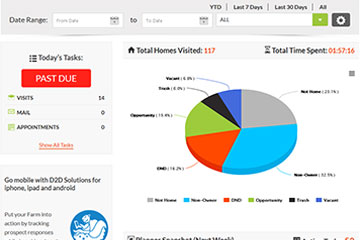
Web: Dashboard Tutorials
Learn how to plan your day, peek into your upcoming week’s tasks, and glance at your performance in the dashboard.
my-farms-tutorials

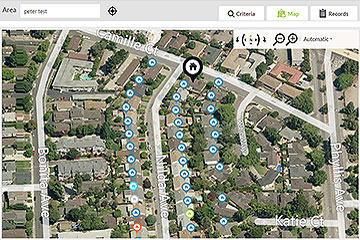
Web: My Farms Tutorials
How to setup your farms, understand the map, it’s canvassing features, it’s criteria filters, and how to manage your property detail records.
my-planner-tutorials

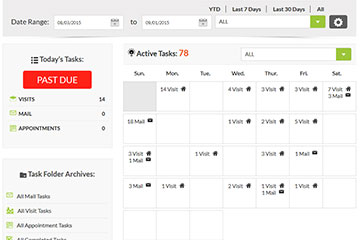
Web: My Planner Tutorials
Understanding your task list and how to navigate it with filters, as well as managing your tasks to completion. Take control of your farming work!
reports-tutorials

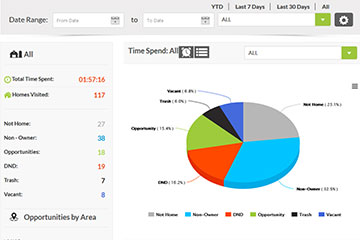
Web: Reports Tutorials
See your performance in 3 different snapshots. View your individual knocking session performance data to better identify trends and increase your opportunities!
Accounts Tutorials

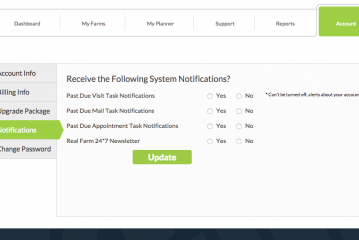
Web: Accounts Tutorials
Set up your account, upgrade your package, update billing and view history, update email notification settings, and change your password. Brokers and Managing Agents can learn to add new agents here.

Get a general system overview. Start your Training here.


<>

  • 1. Getting Started with a Free Trial.
  • 2. First Web Login Guidance: Learning system basics.
  • 3. Intro to App: Used in field when Door Knocking.

Plan your day, peek at the upcoming week’s tasks and knocking performance.


<>

  • 1. Dashboard Intro: Understanding the 3 main areas of the dashboard.
  • 2. Advanced Dashboard Training: Coming Soon.

Manage Farms with 3 tabs: Criteria, Map, and Records..


<>

  • 1. My Farms Intro: Creating your first farm.
  • 2. Canvassing New Areas: Planning how to create new adjacent farms.
  • 3. Territory Memory: Learning how to utilize shape memory for future farms.
  • 4. Advanced Training: Advanced farming techniques Coming Soon.

Manage your visit and mail tasks, use the web mail detail pane to print your mail directly in bulk. To complete re-visit tasks use the app, please view App Videos for more info.


<>

  • 1. My Planner Intro: understanding the 4 main areas of the planner.
  • 2. Advanced Training: Advanced automation strategies Coming Soon.
Overview performance or dig deep into knocking session performance reports.

<>

  • 1. Reports Intro: understanding the reporting section.
  • 2. Data Filters: using the date and area data filters.
  • 3. Advanced Training: Analytics KPI strategies Coming Soon.

Adjust password, billing, notification settings, etc…


<>

  • 1. Accounts Intro: understanding the different sections and their functions.
  • 2. Advanced Training: Tutorials on legend, hints, and walk-through training Coming Soon.
getting-started

App: Getting Started
Learn the general parts of RF247 apps for the field. For proper understanding, view getting started Web Videos before moving to other app tutorials.
dashboard-tutorials

App: Dashboard
General App Training – Dashboard Tutorials.
my-farms-tutorials

App: My Farms
General App Training – Farms Tutorials.
my-planner-tutorials

App: My Planner
General App Training – Planner Tutorials.
reports-tutorials

App: Reports
General App Training – Reports Tutorials.

Today’s tasks, performance at a glance, & a upcoming 30-day task snapshot.


<>

  • 1. Dashboard Intro: understanding the 3 main areas of the dashboard.
  • 2. Today’s Tasks: daily task activity and past due tasks.
  • 3. Data Filters: using the date and area data filters.
  • 4. Pie Chart: interactive options.
  • 5. Planner Snapshot: understanding and using the snapshot.

Access canvassed farms to begin timed, response based knocking sessions.


<>

  • 1. My Farms Intro: Farm table detail intro.
  • 2. Viewing a Farm Area: viewing area details and prepping for knocking.
  • 3. Knocking your Farm: the difference between map and knock modes.
  • 4. Knocking your Farm: understanding knocking controls and time management.
  • 5. Knocking your Farm: how to plan your knocking route.
  • 6. Knocking your Farm: inputting results into the property detail screens.
  • 7. Knocking your Farm: understanding the 3 property detail screens.
  • 8. Knocking your Farm: understanding knocking sessions and follow-up knocking.

Glance upcoming visit & mail tasks. Complete them if need be.


<>

  • 1. My Planner Intro: understanding the mobile planner calendar.
  • 2. Task Management: performing a visit task.
  • 3. Task Management: performing a mail task.
  • 4. Task Management: performing a n appointment task.
  • 5. Past Due Tasks: managing past due tasks from planner or dash.

Reports are really made for the web, but the app still gets you data on the fly.


<>

  • 1. Reports Intro: understanding the 3 reporting screens.
  • 2. Data Filters: using the date and area data filters.
  • 3. Pie Chart: this data view and its interactive options.
  • 4. Session Details: this data view and its interactive options.
Copyright 2023 Knockwise®. All Rights Reserved | a D2D Tools Inc. Company
  • How it Works?
  • Getting Started
  • Support
  • Terms & Conditions
  • Contact